Formats
No Fusion supports saving both RAW and compressed format photos simultaneously. For compressed formats, No Fusion offers HEIF+ and standard HEIF, which you can freely combine as needed.
RAW
RAW contains all the original data captured by the camera sensor. File sizes are larger, but it offers more post-processing flexibility, allowing you to freely adjust exposure, white balance, and other parameters.
Note
When saving RAW alone, Live Photo cannot be saved, and cropping, filters, and effects cannot be applied.
HEIF+
Using the RAW pipeline along with No Fusion's proprietary calibration and compression algorithms, it removes the over-sharpening of the iPhone camera while keeping file sizes small. The final image may differ from the preview.
HEIF
Uses Apple's standard HEIF output, with faster capture speeds and a look closer to the native iPhone camera style.
Negative Film
Negative Film is a special format in No Fusion — it appears as a regular HEIF photo in the Photos app, but contains all the original information captured at the time of shooting. You can perform lossless secondary editing and development on the photo at any time.
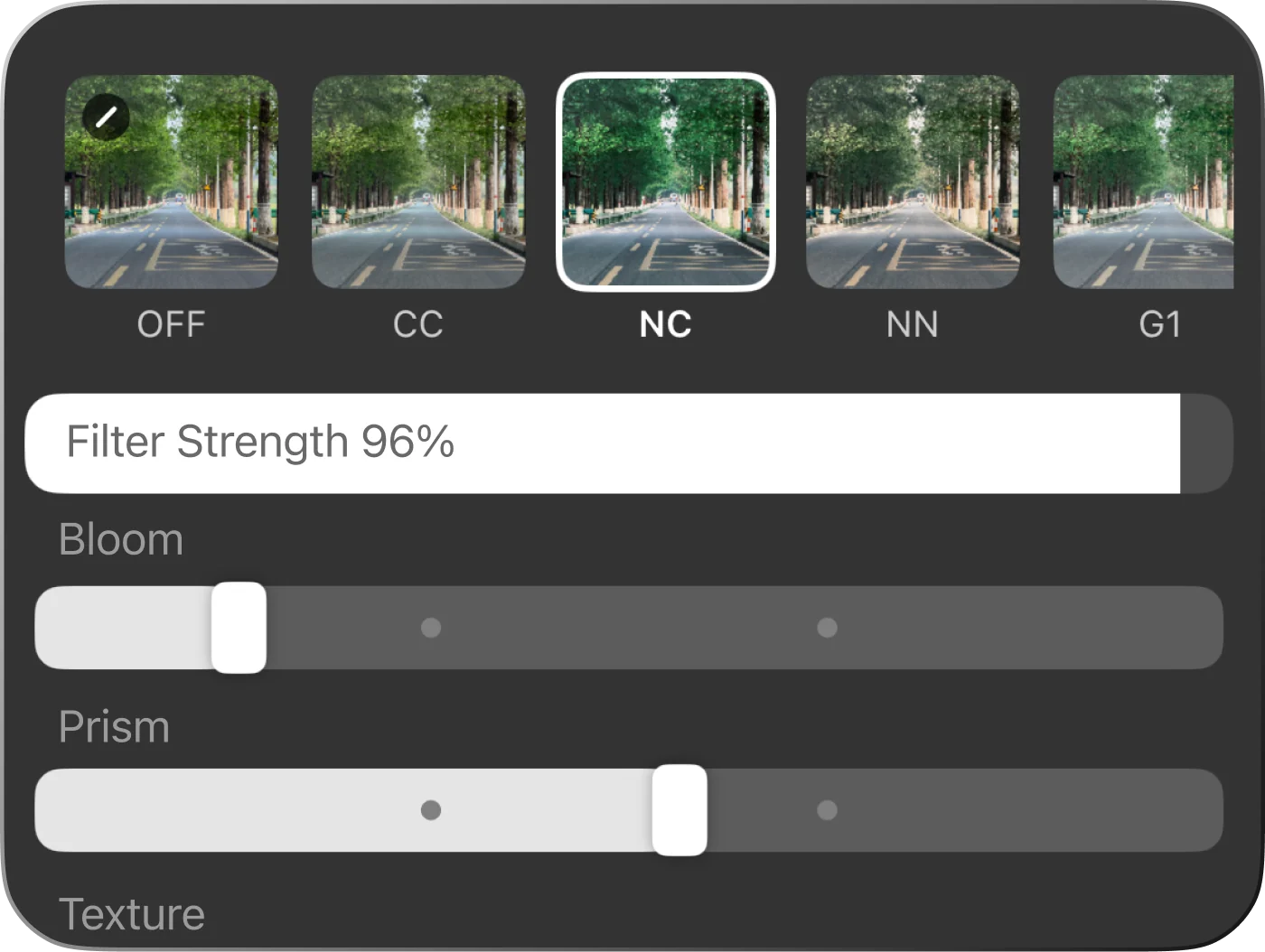
Re-apply filters and effects, freely adjust Bloom, Prism, Texture and more
Negative Film Pipelines
When shooting in Negative Film, you can choose from 3 different pipelines:
Both ProRAW and RAW preserve the full RAW data in the app, and can be converted to HEIF+ later, with adjustable exposure, white balance, and other parameters.
Advanced
HEIF+ Calibration
Because HEIF+ and standard HEIF use different pipelines, you can use the HEIF+ Calibration feature in Settings to independently adjust various attributes of the final photo without affecting the preview.
Adjustable options: sharpness, dynamic range, saturation compensation, and exposure offset.
Types of RAW
On iPhone, there are two types of RAW: ProRAW and Bayer RAW.
Bayer RAW
Reads sensor data directly, completely removing the effects of computational photography for the most natural look.
Produces more noise in low light and does not support high-resolution capture.
ProRAW
Apple's "computational RAW" introduced in 2022, incorporating multi-frame computational photography to balance image quality and post-processing flexibility.
ProRAW availability
Supported only on iPhone 12 Pro and later Pro series iPhones.
- When using Negative Film, you can choose the RAW format directly.
- When using HEIF+ or shooting RAW files directly, you can select it in
Settings → HEIF+ Calibration → RAW Pipeline Type.
Combine HEIF+RAW
When shooting both compressed and RAW formats simultaneously, No Fusion supports combining the two photos into one — they appear as a single photo in the album, with a JPEG+RAW badge displayed in the upper-left corner.
If you prefer to save them separately as one compressed and one RAW photo, you can turn this off in Settings → Advanced → RAW → Combine HEIF+RAW.